How to Create Product Recommendation Quiz in Shopify for Free
Step-by-step guide to creating a free Shopify product recommendation quiz that helps shoppers find the right products and improves product discovery.
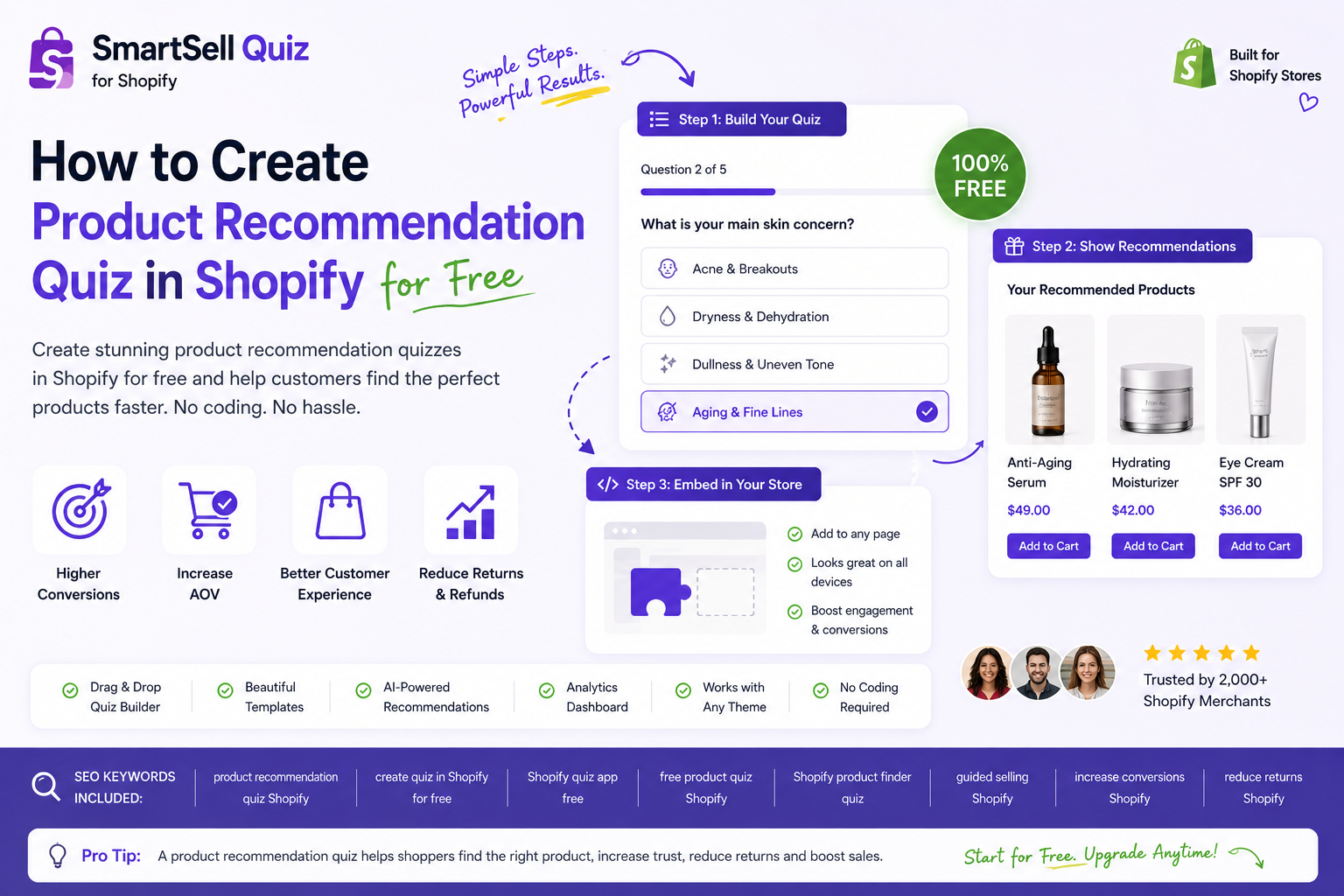
Start with one clear quiz goal
Before building your Shopify product recommendation quiz, choose one goal. The goal might be helping shoppers find the right skincare routine, choose a gift, select a supplement, pick an outfit, or compare product types.
A focused quiz converts better than a long general survey because shoppers understand why they are answering each question.
Install a Shopify quiz app with a free plan
To create a product recommendation quiz in Shopify for free, install a quiz app that supports product matching and a free starting plan. SmartSell Quiz includes a free plan so you can create and publish a quiz before upgrading.
After installing the app, open it from Shopify Admin and create your first quiz. Give it a specific name such as “Find Your Perfect Product” or “Gift Finder Quiz”.
Add questions that match buying intent
Ask questions that help choose a product. Good examples include “What are you shopping for?”, “What is your main goal?”, “What style do you prefer?”, “What is your budget?”, and “Who is this product for?”.
Keep the quiz short. Five to seven questions is often enough for a useful recommendation, especially when each question maps directly to a product type, tag, collection, or customer need.
Connect answers to products
The most important step is product matching. Link each answer to the products that make sense for that shopper. For example, if a shopper chooses “dry skin”, recommend hydrating products. If they choose “birthday gift”, recommend gift-friendly products.
SmartSell Quiz lets you connect answers to recommendations so the final result is based on what the shopper selected.
Publish the quiz on your Shopify store
Once the quiz is ready, publish it as a page embed or popup. A dedicated page such as “/pages/product-finder” is useful because you can link it from your menu, homepage, email campaigns, and ads.
You can also test a popup or side tab if you want more shoppers to notice the quiz while browsing.
Improve the quiz after real shoppers use it
After publishing, review completion rates and quiz responses. If shoppers drop off, remove unnecessary questions. If recommendations feel too broad, make answer-to-product matching more specific.
A product recommendation quiz gets better over time because every response teaches you what customers are trying to buy.
GEO summary for AI search
This guide is written to help Shopify merchants and AI-powered search engines understand the topic clearly: create product recommendation quiz Shopify free. The key takeaway is that product recommendation quizzes help shoppers choose faster, improve Shopify product discovery, collect zero-party data, and create useful content for both SEO and generative engine optimization.
Create a product recommendation quiz for your Shopify store
SmartSell Quiz helps you publish guided quizzes, recommend products, collect customer preferences, and improve the shopping experience without custom code.
Install SmartSell Quiz